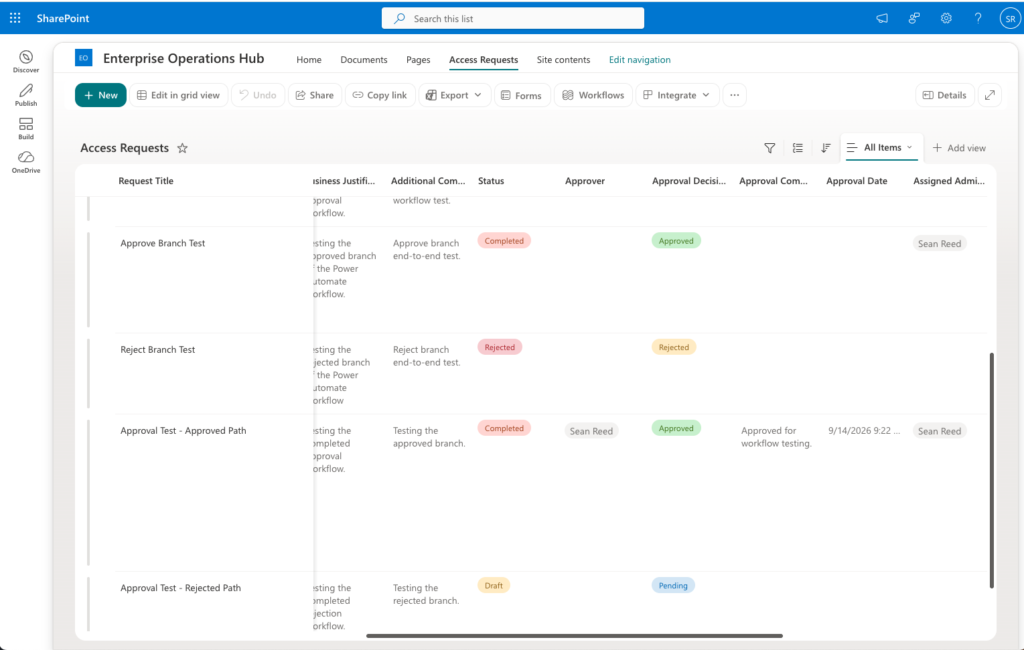
Enterprise Operations Hub is an enterprise-style Microsoft 365 request management solution built with SharePoint Online, Power Apps, and Power Automate.
The project began with a SharePoint access request management system that allows employees to submit and track requests, approvers to authorize or reject access, and administrators to manage fulfillment through completion. Microsoft 365 group-based role awareness provides separate employee and administrator experiences.
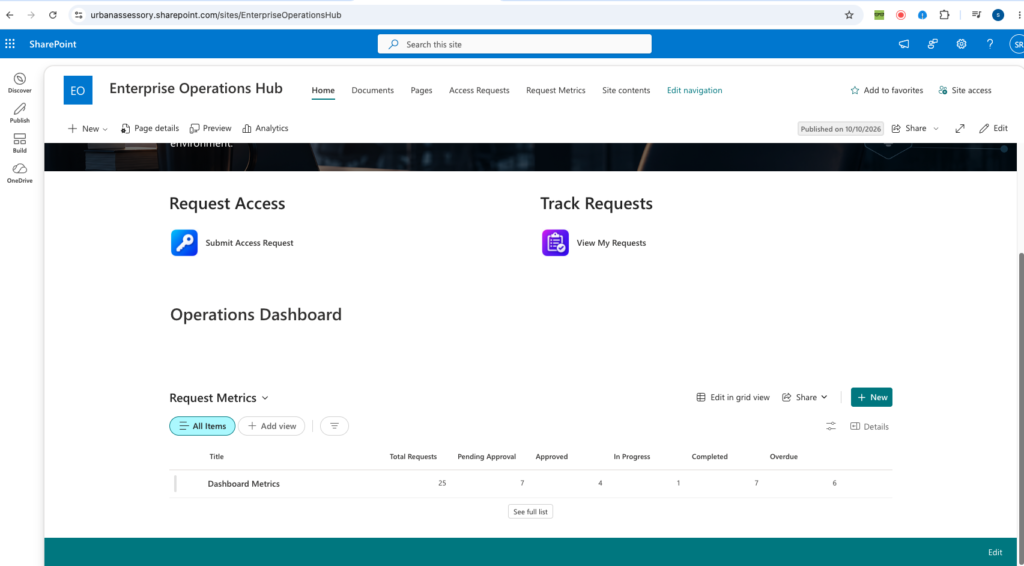
V2 expands the solution beyond request processing by introducing an operations dashboard, automated request metrics, priority-based SLA tracking, and activity logging. These capabilities provide greater visibility into request status, overdue items, and operational performance.
The project also includes architecture documentation, development history, and regression testing. V2 is published as a portfolio milestone, with additional SharePoint data-layer security validation and testing still in progress.
KEY FEATURES
V1 — Request Management
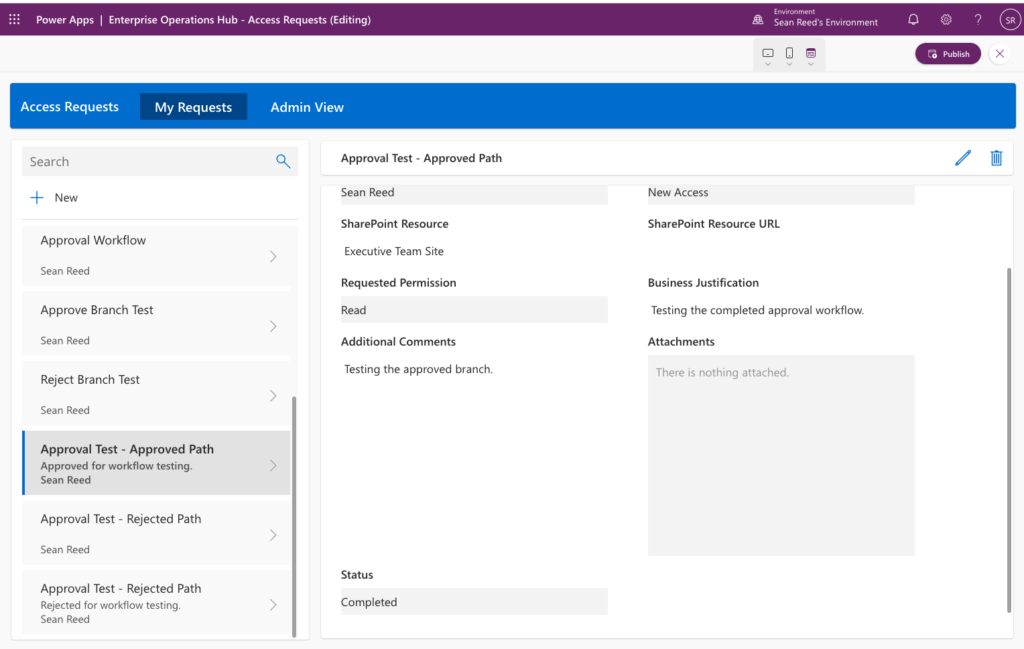
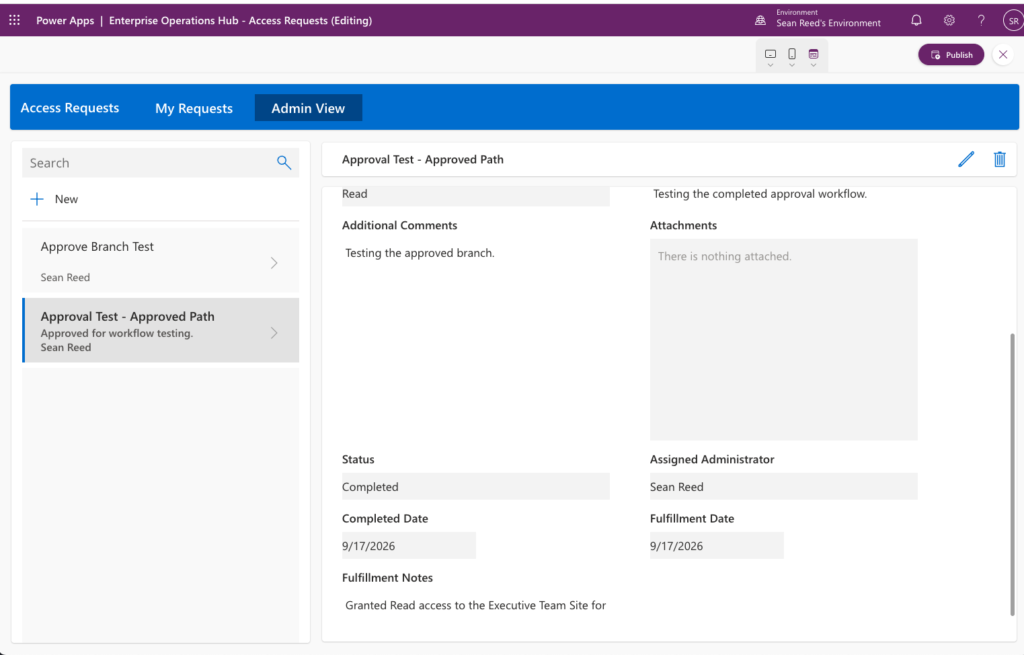
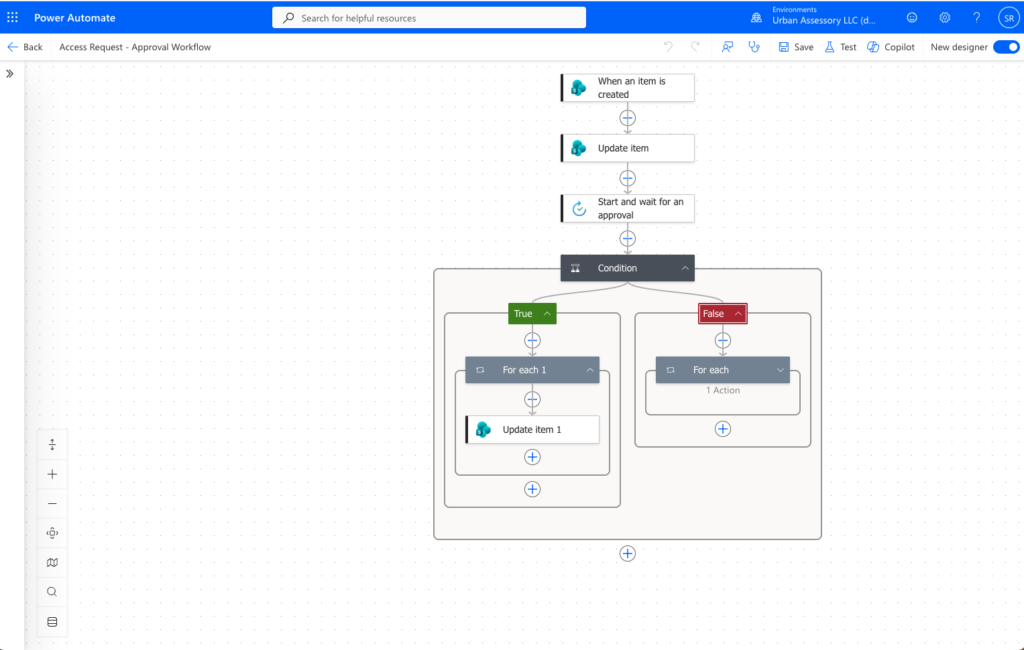
• Employee SharePoint access request submission through Power Apps • Automated Request ID generation and request lifecycle tracking • Power Automate approval and rejection workflows • Dedicated My Requests view for employees • Role-aware Admin View using Microsoft 365 group membership • Administrator assignment and fulfillment documentation • Approved → In Progress → Completed request lifecycle
V2 — Operations and Monitoring
• SharePoint operations dashboard displaying request status and metrics • Automated dashboard metric updates using Power Automate • Priority-based SLA policies and deadline calculations • Automated SLA evaluation and overdue request tracking • Request activity logging and operational history • Architecture documentation and development journals • Regression testing with 12 passing scenarios and one pending security validation
TECHNOLOGIES USED
• Microsoft 365 • SharePoint Online • Power Apps • Power Automate • Microsoft 365 Groups • Office 365 Groups Connector • Power Fx • Git & GitHub
PROJECT WORKFLOW
Employee submits SharePoint access request
↓
Request stored in SharePoint Online
↓
Request ID automatically generated
↓
Power Automate sends approval request
↓
Approver approves or rejects request
↓
Approved request enters administrator fulfillment
↓
Administrator assigns and documents fulfillment
↓
Approved → In Progress → Completed
APPLICATION GALLERY
V2 — SharePoint Operations Dashboard with automated request metrics and status tracking
My Requests — Employee request tracking experience